An interactive canvas for quantum education and collaboration
Design, simulate and visualize quantum circuits in your browser, next to the notes, formulas and educational elements that explain them.
The whole lesson on one canvas
Superposition and the Hadamard gate
Click the circuit below, then press Simulate.
Video introduction
Playing loads the video from YouTube
Definition
H turns |0⟩ into |+⟩ and |1⟩ into |−⟩, equal superpositions.
H =
On the plane, |+⟩ and |−⟩ sit halfway between |0⟩ and |1⟩, at 45°.
- 1/2
- 1
Built for teaching, and for working together. One document you share as a file, hand to a class, or save to Google Drive or OneDrive.
- Start here
Build, design, simulate
Drag plugins onto the canvas, resize and move them, and add quiz questions and hint boxes as checks for understanding. Create interactive tutorials, lecture notes or documents.
PluginsBasicsTextRectangleEllipseTriangleDiamondFile ViewerQuizYouTubeMathematicsEquationMatrixColumn vectorRow vectorPlotDistributionVector planeComplex planeUnit circleQuantum CircuitsQubitPhotonicCircuit ExamplesBell StateGHZ StateRotationsDeutsch-JozsaGrover'sTeleportationQFTQPEMZIHOMSqueezed MZIBoson SamplingVisualizationsQ-SphereBloch SphereResultsEntanglement
Two qubits can share a single state, so measuring either one decides both.
HXYZSS†TT†PRxRyRzUCRxCRyCRzCPCSCS†MState VectorProbabilityHistogramShow all (4)1Both qubits of |Φ⁺⟩ are measured. Which outcomes can appear?- |01⟩ and |10⟩
- |00⟩ and |11⟩
- All four outcomes, equally often
Submit1 / 1 correct - Multiparadigm
Qubit and photonic circuits on one canvas
Design qubit and photonic circuits in one interface, simulate them for free with Qiskit and Piquasso, and compare the two models side by side.
State VectorProbabilityHistogramShow all (4)HistogramProbabilityFock DistributionShow all (3)Mode 0Mode 1 - Simulators and quantum computers
Run on real quantum hardware with
 qBraid
Connect your qBraid account, send the same circuit to hosted simulators and real quantum computers, and read the results right next to it.
Emerald, 13 Oct 17:35HistogramRun256 shotsRan on Emerald IQM via qBraid, 256 shots, 13 Oct 17:41, 70.96 creditsWhere should this circuit run?
2 qubits, 256 shots. Prices are for these shots.
2 qubits, 256 shots.
Prices are for these shots. qBraid••••a1b2400 creditsDisconnectSearch 25 optionsFree onlyCan run this circuit
Hosted simulators
DM1AWS17 qubitsOnline, 0 jobs ahead7.5 credits per minuteGPU State Vector SimulatorqBraid35 qubitsOnline5 credits per minuteQuantum computers
Cepheus-1-108Q (AWS)Rigetti107 qubitsOnline, 0 jobs ahead40.88 creditsEmeraldIQM54 qubitsOnline, 0 jobs ahead70.96 creditsForte 1 (OQ)IonQ36 qubitsOnlineOQ creditsGarnetIQM20 qubitsNext available Tue 18:1567.12 creditsIBEX Q1AQT12 qubitsNext available Wed 09:00631.6 creditsEvery run is confirmed before it is sent. Free simulators power the live simulation.Add credits on qBraid ↗ - Exports
From the canvas to code
Every format is generated from the circuit on the canvas, so your lesson, your code and your paper show the same circuit.
OPENQASM 3.0;include "stdgates.inc";bit[3] c;qubit[3] q;h q[0];cx q[0], q[1];cx q[1], q[2];c[0] = measure q[0];c[1] = measure q[1];c[2] = measure q[2];
DECLARE m0 BIT[1]DECLARE m1 BIT[1]DECLARE m2 BIT[1]H 0CNOT 0 1CNOT 1 2MEASURE 0 m0[0]MEASURE 1 m1[0]MEASURE 2 m2[0]
import cirqq = cirq.LineQubit.range(3)ghz = cirq.Circuit( cirq.H(q[0]), cirq.CNOT(q[0], q[1]), cirq.CNOT(q[1], q[2]), cirq.measure(*q, key='c'),)print(cirq.Simulator().run(ghz, repetitions=1000))
import numpy as npimport piquasso as pqwith pq.Program() as program: pq.Q(0, 1) | pq.StateVector([1, 1]) pq.Q(0, 1) | pq.Beamsplitter(theta=np.pi / 4) pq.Q(0, 1) | pq.ParticleNumberMeasurement()simulator = pq.PureFockSimulator(d=2, config=pq.Config(cutoff=3))result = simulator.execute(program, shots=1000)print(result.samples) # (2, 0) and (0, 2), never (1, 1)
\begin{quantikz} \lstick{$q_0$} & \gate{H} & \ctrl{1} & \qw & \meter{} \\ \lstick{$q_1$} & \qw & \targ{} & \ctrl{1} & \meter{} \\ \lstick{$q_2$} & \qw & \qw & \targ{} & \meter{}\end{quantikz}
- Portable formatsOpenQASM, Quil, QIR, Cirq and pytket for the pipelines you already have.
- Figures for papersLaTeX with Quantikz, PNG and SVG.
Tutorial
Learn how to use QCanvas, in detail
The full tutorial, recorded in the app, from an empty canvas to a finished lesson.
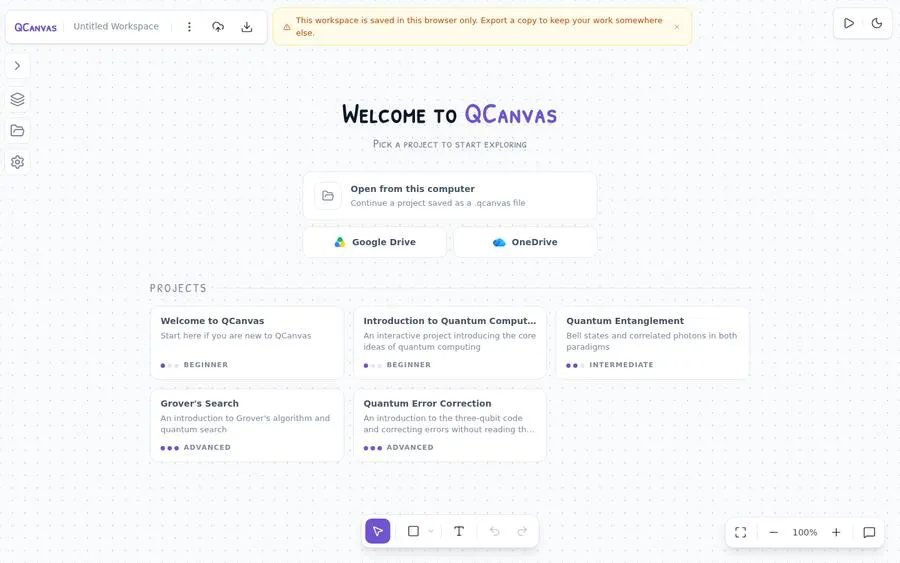
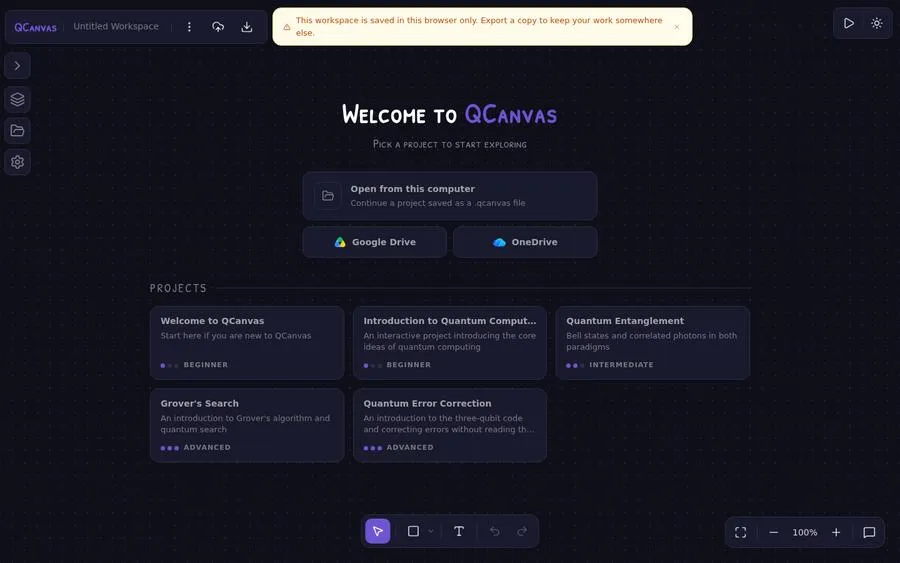
Built-in projects
Start from a project
Six built-in projects open in the app, from a first tour of the canvas to error correction.
Welcome to QCanvas
Start here if you are new to QCanvas
The Mathematics of Quantum Computing
Complex numbers, vectors, matrices and probability, ending on a real circuit
Introduction to Quantum Computing
An interactive project introducing the core ideas of quantum computing
Quantum Entanglement
Bell states and correlated photons in both paradigms
Grover's Search
An introduction to Grover's algorithm and quantum search
Quantum Error Correction
An introduction to the three-qubit code and correcting errors without reading the data
Who it is for
Instructors
Build interactive lessons with explanations, circuits and exercises side by side on one canvas.
Students
Work through lessons at your own pace, simulate circuits and add your own notes.
Researchers
Design circuits, collaborate with colleagues, and export publication-ready figures, LaTeX and SDK code.
Non-profit
Built for teaching
QCanvas is built by QCR MTÜ, a non-profit association in Estonia, and is already used in workshops, universities and high schools.
Teaching with QCanvas, or want to help it grow? Reach out to collaborate on course content, request a feature or support our work.
Cite us in your work
Using QCR or QCanvas in your research or education? Feel free to cite our QCanvas paper.
@inproceedings{Joczik2025QCanvas,
  author    = {Jóczik, Szabolcs and Kecskés, Bence and Kovács, Ádám and Kálmán, Orsolya and Zimborás, Zoltán},
  title     = {QCanvas: An Interactive Browser-Based Quantum Circuit Design and Simulation Platform},
  booktitle = {2025 IEEE International Conference on Quantum Software (QSW)},
  year      = {2025},
  pages     = {137--140},
  doi       = {10.1109/QSW67625.2025.00025}
}